Independent, unofficial guide to BJ's Restaurant & Brewhouse menu prices — not affiliated with BJ's Restaurants, Inc.
Unofficial fan-made guide. bjsmenu.onl is an independent website and is not affiliated with, endorsed by, or connected to BJ's Restaurants, Inc. Prices are estimates and vary by location; always confirm at your local restaurant or on the official BJ's website.
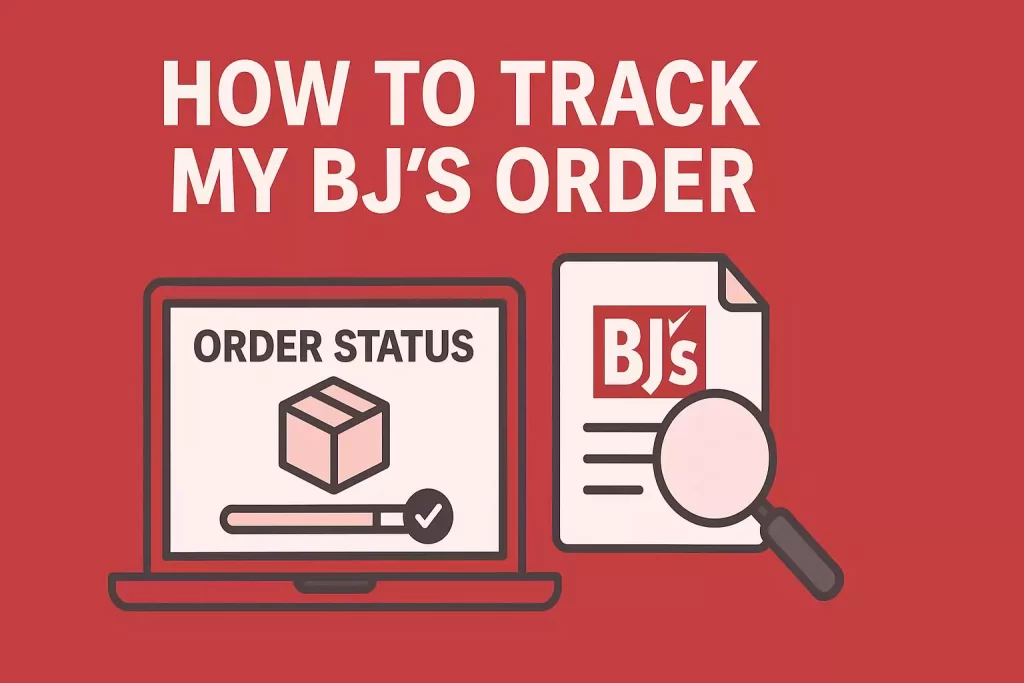
How To Track My BJ’s Order
BJ’s Wholesale Club and BJ’s Restaurant & Brewhouse are two beloved American brands where millions of customers shop, dine, and order online. But with convenience comes a common question: “How can I track my BJ’s order?”
Whether you’ve ordered bulk groceries, electronics, or household supplies from BJs.com, or placed a delivery order from BJ’s Restaurant & Brewhouse, it’s essential to know exactly where your purchase is and when it will arrive.
In this detailed guide, you’ll learn step-by-step methods to track BJ’s orders online, by phone, and in-store, plus pro-tips to avoid delays. We’ll also cover Same-Day Delivery, In-Club Pickup, guest checkout tracking, and what to do if your order is late, missing, or canceled.
Why Order Tracking Matters at BJ’s
Online shopping and food delivery are convenient — but waiting without updates is frustrating. BJ’s addresses this by offering multiple tracking options:
Real-time status updates via your BJs.com account
Tracking emails with direct carrier links (UPS, FedEx, etc.)
Same-Day Delivery driver updates
In-Club Pickup notifications
Customer support for missing, canceled, or delayed orders
Knowing how to access these updates helps you plan your day and avoid confusion, especially during holidays or high-demand sales events like Black Friday.
Track Your BJ’s Wholesale Club Order
1. Log Into Your BJs.com Account
The most direct way is through your BJ’s online account.
Hover your mouse over your profile name in the top right corner.
Select Order History.
Click Order Details next to the purchase you want to track.
On this page, you’ll see:
Order status (processing, shipped, delivered, or ready for pickup).
Tracking number once shipped.
Carrier name (UPS, FedEx, etc.).
Estimated delivery date.
2. Use the Shipping Confirmation Email
BJ’s always sends a confirmation email after your order ships.
Look for a message titled “Your BJ’s order has shipped”.
Inside, you’ll find:
Tracking number
Carrier details
Direct link to the delivery tracking page
Pro tip: If you don’t see this email, check your spam or promotions folder.
3. Enroll in UPS My Choice (For UPS Shipments)
If your BJ’s order ships via UPS, you can sign up for UPS My Choice (free).
Receive real-time delivery updates by email or text.
Reschedule deliveries or reroute to a pickup point.
Track all UPS parcels, not just BJ’s.
This adds an extra layer of visibility, especially for high-value orders like electronics or furniture.
4. Track Guest Checkout Orders
Not everyone creates a BJ’s account. If you checked out as a guest, you can still track your order:
Find the confirmation email sent to your checkout email address.
Wait for the shipping confirmation email with a tracking link.
Click the link to follow your delivery directly on the carrier’s site.
Important: Without an account, you can’t view order status on BJs.com. Keep your confirmation email safe.
5. For Same-Day Delivery Orders
BJ’s partners with delivery services for Same-Day Delivery.
After placing an order, you’ll get an email confirmation.
When the driver picks up your items, you’ll receive a second email stating the order is on its way.
You may also get real-time driver updates, depending on location.
6. For In-Club Pickup Orders
Prefer picking up your order yourself? BJ’s makes it simple:
Place your order online and select “Pick Up In-Club”.
Once ready, you’ll receive an email notification.
Visit your chosen BJ’s Club location.
Bring your confirmation email or order number.
Curbside pickup is also available at most locations.
BJ’s Order Tracking Methods
Order Type
Tracking Method
Extra Info
Standard Shipping
Log into BJs.com account or use confirmation email tracking link
Tracking number provided once shipped
Guest Checkout
Confirmation + shipping email with carrier link
Cannot track via account
Same-Day Delivery
Email updates when order is placed + when driver picks up order
Often includes real-time driver updates
In-Club Pickup
Email notification when ready
Pickup time varies by location
UPS Shipments
Sign up for UPS My Choice for advanced tracking
Free to join, covers all UPS deliveries
Common Problems With BJ’s Orders
1. “My tracking says delivered, but I don’t have it.”
Check around your property (porch, garage, neighbor’s door).
Review the carrier tracking page for delivery notes.
If still missing, contact BJ’s Member Care or the carrier.
2. “My order was canceled or out of stock.”
BJ’s sometimes cancels due to inventory shortages.
Refunds are automatically issued to your payment method.
Check your email for a cancellation notice.
3. “I never got a shipping confirmation.”
Look in spam/junk folders.
Verify your order email address.
If you still don’t see it, call Member Care at (800) BJS-CLUB (800-257-2582).
4. “Can I return or exchange my order?”
Yes. Orders purchased on BJs.com can be returned:
In-club at the Member Service Desk.
By mail (follow instructions in the return confirmation).
Contacting BJ’s About an Order
Phone: 800-BJS-CLUB (800-257-2582)
Online: Submit a support request through BJs.com (include order number).
In-Club: Speak to a customer service representative at the Member Desk.
FAQs About Tracking BJ’s Orders
1. How long does BJ’s take to process an online order?
Most orders are processed within 24–48 hours, though high-demand sales may take longer.
2. Can I track my BJ’s order on the mobile app?
Yes, the BJ’s app allows you to log in and view Order History just like the website.
3. What if I forgot my BJs.com login?
Click “Forgot password” on the login page or contact Member Care.
4. Can I change my shipping address after placing an order?
Orders in processing usually cannot be changed. Contact Member Care ASAP.
5. How do I track BJ’s Restaurant orders?
Restaurant orders are usually handled through delivery partners (DoorDash, Uber Eats, etc.), and you can track them via their apps.
6. What is “Over-the-Threshold” delivery?
It means delivery to inside your home or garage (for large items), not just curbside.
7. Does BJ’s deliver alcohol orders?
Yes, but delivery availability depends on state laws.
8. Can I track my curbside pickup order?
Yes, you’ll receive an email when it’s ready. You can also confirm in the app.
9. Why are some items delayed?
High demand, warehouse shortages, or shipping carrier delays can affect delivery.
10. Does BJ’s ship to California?
Some restricted categories cannot ship to California due to regulations.
11. Can I download a receipt from a past order?
Yes, from the Order History page in your account.
12. Are BJs.com orders eligible for tax-free holidays?
Yes, depending on your state’s tax holiday rules.
13. What if my order is missing parts?
Contact Member Care and provide your order number for replacements.
14. Can I exchange instead of return?
Exchanges are possible in-club, but online returns are usually processed as refunds.
15. What happens if I don’t pick up my In-Club order?
Unclaimed pickup orders are usually canceled and refunded after a set period.
Final Thoughts
Tracking your BJ’s order is straightforward if you know where to look. From logging into your account, checking your email for tracking links, to contacting customer support when needed — BJ’s provides multiple ways to keep customers informed.
Whether it’s Same-Day Delivery groceries, a bulk online order, or a restaurant meal, following the steps in this guide ensures you’ll always know exactly when to expect your purchase.
So the next time you wonder “Where is my BJ’s order?”, just log in, check your email, or call (800) BJS-CLUB — and you’ll have the answer in minutes.